To all and anyone who may be reading this,
This blog will be some what of an experiment for me. As it will be the first time I have ever made a blog before so...I am just gonna ya know, wing it. The main point of this blog is to document all of my Interior Design work.
A little bit about myself is my name is David Palmer. I am a 3D Artist who specializes in hard surface modeling. I am still very fresh out of college, with only a year of industry experience. I am totally new at Interior Design so I want a place to document all of my works in progress, as well as my entire journey from being a complete amateur to hopefully at least ok lol. This is something I have put a little thought into on how I want to go about learning interior design all whilst keeping it fresh and fun with the mix of 3D studies of different styles, and some old school book learning that I will probably mention in the blog from time to time. Then finally I will start diving in to trying to make my own designs an of course leave myself open for any critiques from the Artstation community. With that being said I have thick skin and I don't take anything personally. Also I hope to one day to see a nice part of Artstation that is made for more forum type works in progress and not always finished clean pieces and will my using this blog as such.
A little bit about my hardware recently I have built a brand new machine with all the new age bells and whistles such as a 32 core Threadripper cpu, and a MSI RTX 2080 ti gpu (with the help of a friend, you know who you are as I know nothing about computers) and I thought if I was going to take this serious I might as well use the industry standard rendering engine for interior design Vray Next which I am also unfamiliar with as I am coming from Mental Ray and Arnold ya know the free stuff that 3ds Max offers. Before this machine interior design renders were very painful on my old computer just saying.
The way I will begin is with some photo matching exercises. The selection of images will be from Joanna Gaines book "Home Body". A couple of reasons I chose this book is one I own it, and two I am pretty positive the images are actual photos and not just very good renders. I plan on doing 6 total shots with 3 being smaller intimate shots and 3 being larger shots such as living rooms and kitchens. So with that lets get started!!!
(Also if you haven't figured out already I am not the best writer and I love run on sentences such as this one...Enjoy!!!!)
So here is the first shot (image to the right) I chose. For my first piece I wanted to keep it as simple as I could, and focus on the smaller details such as getting use to lighting and materials in Vray and working with a scene with only a few things going on. Again this is from Joanna Gaines book "Homebody".

Step 1: Modeling
The first thing I did is crop the reference image down and place it inside 3ds Max's Viewport.

And began to model right on top of the image like so...

Next I took it into Photoshop and did a overlay and draw over.

Adjustments that followed... yes the plant is still way off I am saving that for last.

Step 2: Lighting
After I got a quick block out of the scene I started trying to match the lighting in the image. I knew that the main light source was coming from the door to the left. Now, I initially tried lighting this scene with the Vray Sun but I just wasn't getting the shadows to cast just right and the spec wasn't sharp enough so anywho, ending up ditching the Sun and used an Area light angled like so...


Which after a lot of tweaking and playing around I got something like this with my Key Light.

Next I added a spec for the secondary highlight on the canisters coming from the way the glass on the door is divided up. For this light I turned off all diffuse influence on the objects.

Last or at least for now, as it is currently still a work in progress. Is the last light I have set-up in the scene so far. It is just a ambient diffuse light with no spec to somewhat dial back down the shadows in the scene as needed. ( Edit: I forgot to mention that the cabinets should not be black lol and this was an error I fixed later on. Me being new to Vray and all at some point in time I told the light to excluded the some of the Geometry)
All lights together now.

Again Reference

Step 3: Material Blocking
I am still working out the kinks for this project so my documentation was a bit poor as I don't have any shots of early on materials where I just put flat colors on the objects and focus on getting the roughness and reflective values right before going into something like Substance or Photoshop for texturing. Lesson learned for next time. Moving along here is some renders I do have.

Then an updated more recent version...

The actual book covers are a hard find, and I really haven't committed to trying to really recreate the textures yet and not sure if I am going to I might sacrifice that detail in this render. Overall I have been working on this for about a month or so now again I have a full time job and I also have a family so I try to get it in when I can so until next update which I think I am going to start fining tuning things such as the back splash and eventually get to those dang plants and I guess this will cap off my first blog entry.
Step 4: Post Processing

So after spent a little more time on the back-splash since I last posted I created the tiles using a plug-in called DebrisMaker. I also tweaked the counter top more to match the reference the image above is the full RBG Color render out of Vray. I will be taking this image to my final image using Render Passes and a lot of Photoshop.

The render passes I used were a Ambient Occlusion pass, Global Illumination, Raw Global Illumination, Reflection, Specular, Total Lighting and Lighting passes all in Vray of course. I then put the image back together (above). Using a series of Screen, Soft Light and Multiply blending modes within Photoshop.
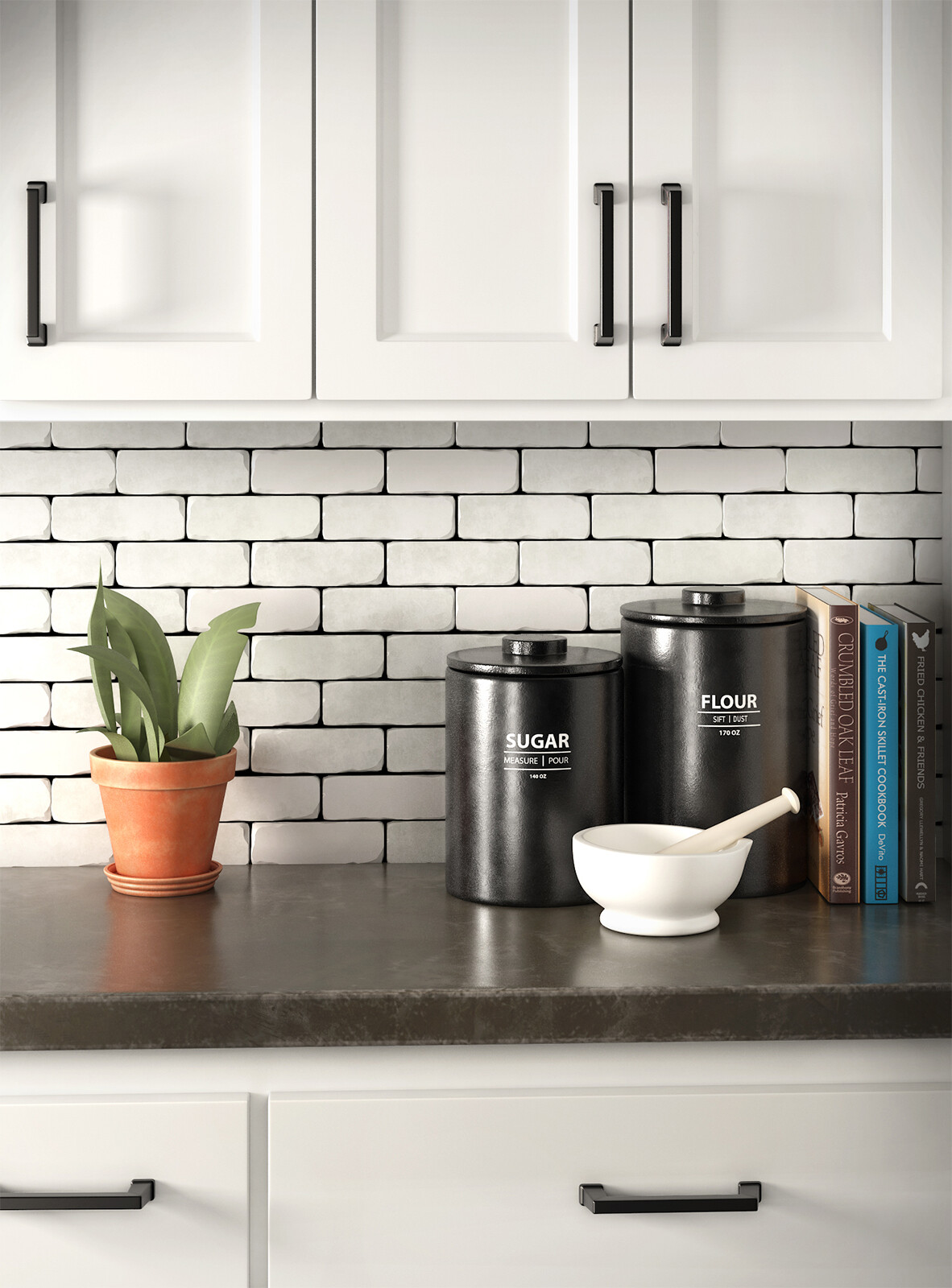
Next thing I did was hit up the edges of the image with a brush to darken them.

I then brighten the cabinets up.

Next I did a series of paint overs on the plant to add more textures and shadows that were in the reference image.


I then adjusted the canisters making them darker and added shadows to the plant's pot and the mortar.

I then brightened up the back-splash.
After I was done with Post in Photoshop I kicked it over to After Effects to put some Grain in the image. I know the books and the plant aren't exact replicas, but for the sake of matching the lighting and the overall image l I am happy with how this came out.
Reference Once Again (Below)

Final Render

Overlayed Gif
